
Get Free PC Consultation
Talk to our experts and get the best PC solution for your needs and budget.
Your details are safe. No spam, ever.

Talk to our experts and get the best PC solution for your needs and budget.
Your details are safe. No spam, ever.
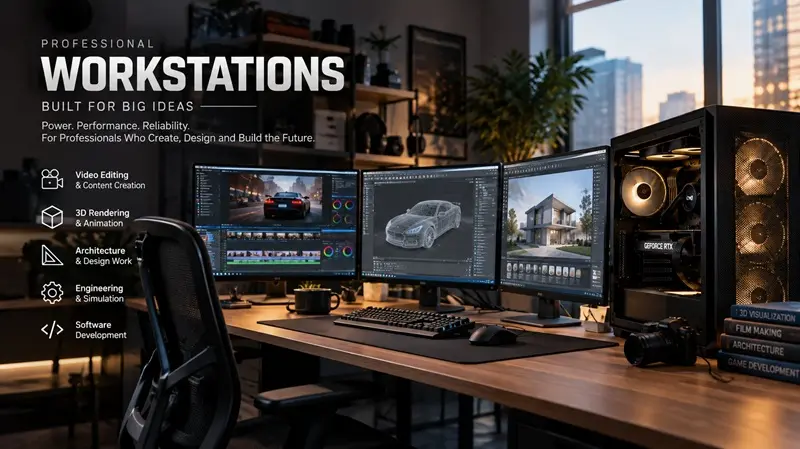
Meta Title: Professional Workstations for Video Editing, 3D Rendering & Design
Meta Description: Discover high-performance professional workstations for video editing, 3D rendering, architecture, engineering, and software development. Explore workstation solutions at Computer IT Mart.
Suggested URL Slug: professional-workstations-for-creators-engineers-designers
When your work depends on processing complex projects, rendering detailed 3D models, editing high-resolution videos, or running demanding engineering applications, a standard desktop computer may not deliver the performance you need.
Professional workstations are designed to handle these intensive workloads with powerful processors, high-performance graphics cards, fast memory, and reliable storage. They provide the computing resources professionals need to work efficiently, manage complex projects, and reduce unnecessary delays.
At Computer IT Mart, we build high-performance workstations tailored to the requirements of professionals, creative studios, engineering teams, architects, and software developers. Our focus is on combining capable hardware with reliable components to create systems suited to demanding professional environments.
A professional workstation is a high-performance computer designed for specialised applications and intensive computing tasks. Unlike a typical home or office PC, a workstation can be configured with hardware specifically selected for demanding software, complex calculations, large datasets, and graphics-intensive workflows.
Depending on the intended workload, a workstation may include:
High-core-count processors for parallel computing and multitasking.
Dedicated GPUs for rendering, visualisation, simulation, and GPU-accelerated applications.
High-capacity RAM for large projects and memory-intensive software.
Fast NVMe SSDs for quick boot times, application loading, and project access.
Reliable power supplies and effective cooling systems.
Workstation-class components where professional requirements justify their use.
The best configuration depends on the software you use, project complexity, and your performance requirements.
Professional video editing involves more than cutting clips and adding transitions. Editors frequently work with 4K or higher-resolution footage, multiple video layers, visual effects, colour grading, and demanding export settings.
A properly configured workstation can help editors manage these tasks more efficiently.
Recommended hardware considerations:
A powerful CPU for editing operations and media processing.
A capable GPU for supported effects, playback acceleration, and rendering.
Sufficient RAM for complex timelines and multitasking.
Fast NVMe storage for source footage, project files, and cache data.
For content creators, the right workstation can help maintain smoother workflows and reduce waiting time during demanding editing sessions.
3D artists and animation professionals often work with complex models, detailed textures, realistic lighting, simulations, and high-resolution output.
These workloads can place significant demands on both the processor and graphics card. CPU-based rendering benefits from strong multicore performance, while GPU-based rendering depends heavily on the supported graphics hardware and available GPU memory.
Recommended hardware considerations:
A high-performance CPU suited to the rendering engine.
A compatible GPU with sufficient VRAM.
Ample RAM for complex scenes and assets.
Fast storage for project files, textures, and simulation data.
For studios working with large scenes or production deadlines, selecting hardware around the actual rendering engine is essential.
Architects and interior designers use applications such as CAD software, BIM platforms, and real-time visualisation tools to create detailed building plans, models, and realistic walkthroughs.
Large projects may involve complex geometry, multiple design revisions, material libraries, and high-quality visualisation.
A professional workstation can support these workflows by providing the processing power, memory, and graphics performance required by the chosen applications.
Recommended hardware considerations:
A strong CPU for modelling and general design operations.
A suitable GPU for real-time visualisation and supported rendering engines.
Adequate RAM for large BIM models and complex projects.
High-speed storage for project libraries and collaborative workflows.
The optimal balance between CPU and GPU performance depends on whether your work is primarily CAD modelling, BIM coordination, or visualisation.
Engineering professionals often rely on specialised applications for mechanical design, product development, finite element analysis, computational fluid dynamics, and other simulation tasks.
These workloads can involve complex calculations and large datasets. Some benefit primarily from CPU performance and memory capacity, while others can take advantage of GPU acceleration.
Recommended hardware considerations:
A processor suited to the application’s calculation and parallelisation requirements.
Sufficient RAM for large models and simulation datasets.
A compatible GPU where the software supports acceleration.
Reliable storage and appropriate backup solutions.
For professional engineering environments, application compatibility and validated hardware configurations may be as important as raw specifications.
Software developers working with large codebases, virtual machines, containers, emulators, and multiple development tools can benefit from a workstation with strong multicore processing and ample memory.
Developers working with machine learning or local AI models may also need a GPU with substantial VRAM, depending on the framework, model size, and intended workload.
Recommended hardware considerations:
A multicore processor for compilation and parallel workloads.
Sufficient RAM for development environments and virtualisation.
Fast SSD storage for repositories, tools, datasets, and builds.
A suitable GPU for compatible AI and GPU-computing workloads.
For AI development, workstation selection should be based on the model sizes, software frameworks, and memory requirements involved rather than simply choosing the most expensive graphics card.
Both desktop PCs and workstations can offer powerful performance. The main difference is how the system is configured for its intended workload.
| Feature | Standard Desktop PC | Professional Workstation |
|---|---|---|
| Primary purpose | Everyday computing, gaming, and general productivity | Demanding professional applications |
| Processor | Selected for general performance or gaming | Selected for the specific professional workload |
| Graphics | Integrated or gaming-focused GPU | Suitable GPU for rendering, CAD, simulation, or AI |
| Memory | Based on everyday usage requirements | Configured for project size and application demands |
| Storage | General-purpose storage configuration | Fast storage tailored to active projects and data |
| Reliability | Depends on component selection and build quality | Can prioritise sustained operation and professional requirements |
| Software compatibility | Depends on the hardware and application | May support certified hardware and drivers where available |
A high-end gaming PC can outperform a workstation in some tasks, and a professional workstation is not automatically better for every application. The correct choice depends on workload performance, software requirements, stability, and total cost.
A workstation must do more than deliver impressive benchmark scores. Professionals also need predictable performance, effective cooling, and components suited to sustained workloads.
At Computer IT Mart, workstation configurations can be designed around reliable components selected for the intended application and operating environment.
Important considerations include:
Reliable power delivery: A quality power supply with sufficient capacity helps support the CPU, GPU, storage, and other components.
Effective thermal management: Appropriate cooling helps maintain performance during long rendering, compilation, and simulation sessions.
Memory capacity and compatibility: Correctly selected RAM supports large datasets, demanding applications, and intensive multitasking.
Storage reliability: Suitable SSDs, sensible backup procedures, and planned storage capacity help protect project workflows.
Component compatibility: The motherboard, processor, graphics card, memory, cooling system, and case must work together as a balanced configuration.
Where required, professional platforms may offer ECC memory, validated drivers, workstation-class GPUs, or vendor-certified configurations. These features are workload-dependent rather than necessary for every user.
Buying a workstation should start with your work, not a component list.
List the software you use daily, such as video editing tools, CAD applications, 3D rendering engines, engineering platforms, or development environments.
Check their recommended specifications and hardware compatibility.
Consider the resolution of your video projects, the complexity of your 3D scenes, the size of your engineering models, or the requirements of your development environment.
This information helps determine the appropriate CPU, GPU, memory, and storage capacity.
Some workloads depend more heavily on processor performance, while others rely on GPU acceleration. Investing heavily in one component without considering the application can lead to an unbalanced system.
Large projects require enough RAM to avoid unnecessary slowdowns. Fast SSD storage improves responsiveness, while separate project storage and backups can simplify data management.
If you expect to work with larger projects or more demanding applications, consider motherboard expansion options, memory capacity, GPU clearance, power supply headroom, and cooling.
Compare complete system configurations rather than individual component prices alone. Include the operating system, software licences, displays, peripherals, warranty, and any professional support you require.
Every professional workflow has different computing requirements. A video editor may prioritise GPU acceleration and media storage, while an architect may need strong graphics performance and enough memory for large BIM projects.
Computer IT Mart focuses on building workstation configurations around these real-world requirements.
Our workstation solutions can be tailored to support:
Video editing and content production.
3D modelling, animation, and rendering.
Architecture, CAD, and visualisation.
Engineering applications and simulations.
Software development, virtualisation, and compatible AI workloads.
By considering application requirements, component compatibility, cooling, and upgradeability, we aim to help professionals choose systems that suit their projects and working environments.
Whether you need a workstation for an individual creative studio or a professional team, selecting the right configuration can help you invest in performance where it matters most.
The best workstation depends on your editing software, footage resolution, effects, and export workflow. A capable CPU, supported GPU, sufficient RAM, and fast storage are important considerations.
Not always. Gaming PCs with powerful GPUs can perform exceptionally well in GPU rendering. Professional workstations may be preferable when you need application-certified drivers, specialised hardware, ECC memory, or other professional features.
The requirement depends on the workload. Lighter editing and design tasks may work with 32GB, while complex 3D scenes, large BIM projects, simulations, and demanding multitasking may benefit from 64GB, 128GB, or more.
Yes. A workstation can be configured for machine learning and AI development with compatible hardware and software. GPU memory, framework support, model size, and compute requirements should guide the configuration.
Many workstations support upgrades to RAM, storage, graphics cards, and other components. Upgrade options depend on the motherboard, chassis, power supply, cooling system, and platform limitations.
A professional workstation is an investment in your ability to complete demanding work efficiently and reliably. From editing high-resolution videos and rendering detailed 3D scenes to developing software and running engineering simulations, the right hardware configuration can make a meaningful difference to your workflow.
The key is to select a balanced system based on your software, project complexity, performance expectations, and future requirements.
Explore professional workstation solutions from Computer IT Mart and find a configuration designed around your workload.
Computer IT Mart — Professional Computing Built Around Your Needs.
