
Get Free PC Consultation
Talk to our experts and get the best PC solution for your needs and budget.
Your details are safe. No spam, ever.

Talk to our experts and get the best PC solution for your needs and budget.
Your details are safe. No spam, ever.
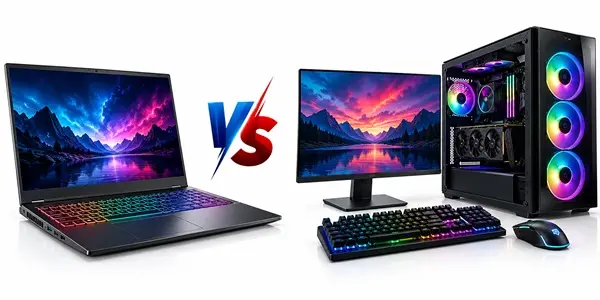
Choosing between a laptop and a desktop computer can be confusing, especially when you need a system for both work and gaming.
Laptops are portable, compact, and convenient. Desktop computers, on the other hand, offer more flexibility, better cooling options, and greater opportunities for hardware upgrades.
But which one actually gives you better value for your money?
Whether you are a student, working professional, content creator, programmer, or gaming enthusiast, choosing the right computer depends on how you plan to use it.
In this guide, we will compare laptops vs desktop computers based on performance, gaming, pricing, portability, upgrades, maintenance, and everyday usability. By the end, you will have a better idea of which option suits your needs.
Before comparing their performance, let’s understand how these two systems are different.
A laptop is an all-in-one portable computer with a built-in display, keyboard, touchpad, battery, and internal hardware. You can carry it between your home, office, college, or while travelling.
A desktop computer is designed to stay in one place. It generally consists of a separate cabinet, monitor, keyboard, mouse, and other peripherals.
Desktop computers offer more flexibility when selecting individual components, while laptops provide a ready-to-use computing experience in a compact design.
Both can handle everyday work, professional applications, and gaming. However, their performance, cooling capabilities, and upgrade options can differ significantly.
Performance is one of the most important factors when choosing between a laptop and desktop.
Both systems can use powerful processors and graphics cards, but desktop components generally have more room for higher power consumption and cooling.
Desktop computers usually offer better performance at comparable price points.
They can accommodate powerful desktop processors, dedicated graphics cards, multiple RAM modules, and advanced cooling systems.
This makes desktops particularly useful for:
Heavy multitasking.
Video editing and rendering.
3D modelling and animation.
Programming and software development.
High-performance gaming.
Running demanding professional applications.
Modern laptops have become considerably more powerful. Many gaming and workstation laptops can handle demanding applications without much difficulty.
However, laptop processors and graphics cards often operate within stricter power and thermal limits.
Performance may also decrease under sustained heavy workloads because of temperature and power management.
Winner: Desktop PC
For sustained heavy workloads and performance at a similar budget, desktop computers generally offer better value.
Gaming is where the difference between laptops and desktops becomes particularly noticeable.
Both can deliver excellent gaming experiences, but desktop computers generally provide better performance, cooling, and upgrade flexibility.
A gaming desktop allows you to select a dedicated graphics card, processor, RAM, storage, and cooling system based on your gaming requirements.
Some important advantages include:
Better graphics performance for the money.
More powerful GPU options.
Better cooling and airflow.
Easier hardware upgrades.
Support for multiple monitors.
More flexibility in choosing gaming peripherals.
You can also upgrade individual components when new games demand better hardware.
Gaming laptops are designed for people who want to play games without being tied to a desk.
They typically come with dedicated graphics, high-refresh-rate displays, and powerful processors.
Their advantages include:
Portable gaming experience.
Built-in display and keyboard.
Compact design.
Easy setup.
Suitable for gaming while travelling.
However, gaming laptops can become hot during extended gaming sessions. Their graphics performance can also differ significantly from desktop GPUs carrying similar model names.
Winner: Desktop PC
If gaming performance, cooling, and long-term upgradeability are your priorities, a gaming desktop is generally the better investment.
If portability matters more, a gaming laptop is a practical choice.
Budget plays an important role when purchasing a computer.
At similar price points, desktop computers generally provide more processing and graphics performance.
A laptop includes several built-in components, such as the display, keyboard, battery, webcam, and speakers. These add to its overall cost.
With a desktop, you can select components individually and decide where to spend more of your budget.
For example, you can prioritise a better graphics card for gaming or invest in more RAM for professional applications.
A desktop also gives you the option to reuse an existing monitor, keyboard, and mouse.
| Budget in India | Desktop PC | Laptop |
|---|---|---|
| Under ₹40,000 | Entry-level work and basic gaming builds | Everyday productivity laptops |
| ₹40,000–₹60,000 | Budget gaming and productivity PCs | Mainstream laptops |
| ₹60,000–₹80,000 | Capable gaming and workstation builds | Performance and entry-level gaming laptops |
| ₹80,000–₹1,20,000 | Strong gaming and professional builds | Mid-range to premium gaming laptops |
| Above ₹1,20,000 | High-performance custom gaming PCs | High-end gaming and workstation laptops |
These are indicative budget segments, not guaranteed market prices or equivalent performance configurations. Actual specifications and prices depend on current component availability.
Winner: Desktop PC
If your priority is getting the best hardware performance within a fixed budget, desktops generally offer better value.
This is one area where laptops have a clear advantage.
A laptop is designed for portability. You can carry it to your office, college, meetings, or while travelling.
Most laptops also have built-in batteries, allowing you to work without being connected to a power outlet for some time.
A desktop computer is different.
It requires a dedicated workspace with a monitor, keyboard, mouse, and power connection. Moving the complete setup is not as convenient.
Easy to carry.
Built-in battery.
Suitable for remote work.
Convenient for travelling.
Requires less desk space.
Better workspace flexibility.
Larger display options.
Easier peripheral customisation.
Suitable for permanent workstations.
Winner: Laptop
If you regularly travel or work from different locations, a laptop is the obvious choice.
Technology changes quickly. The computer you purchase today may not meet your requirements after a few years.
This is where upgradeability becomes important.
One of the biggest advantages of desktop computers is that you can replace or upgrade individual components.
Depending on motherboard compatibility and system configuration, you can upgrade:
Processor (CPU).
Graphics card (GPU).
RAM.
SSD and HDD storage.
Power supply.
Cabinet fans and cooling systems.
Motherboard.
For example, if your existing gaming PC struggles with newer games, you may only need to upgrade the graphics card or add more RAM instead of purchasing an entirely new computer.
Laptop upgrades are more limited.
Many models allow you to upgrade RAM or storage, but some have soldered memory and non-upgradeable components.
Processors and graphics cards are generally not replaceable in conventional laptops.
This means you should carefully consider your future requirements before purchasing a laptop.
Winner: Desktop PC
Desktops offer significantly more upgrade flexibility and can be easier to maintain over the long term.
Cooling is another important factor, particularly for people who play games or run demanding applications.
Processors and graphics cards generate heat while working. If temperatures become too high, the system may reduce performance to protect its hardware.
Desktop cabinets provide more space for airflow and cooling solutions.
You can install:
Air CPU coolers.
Liquid cooling systems.
Additional cabinet fans.
Larger radiators.
Dedicated GPU cooling solutions.
A properly designed desktop can maintain stable temperatures during extended gaming and heavy workloads.
Laptops use compact cooling systems with smaller fans and heat pipes.
Gaming laptops often have advanced cooling designs, but their limited internal space can make temperature management more challenging.
During extended gaming sessions, fan noise and high temperatures are common considerations.
Winner: Desktop PC
Desktops generally provide more cooling flexibility and better thermal headroom.
Your profession also plays an important role in deciding which computer to buy.
Let’s look at a few common use cases.
| User type | Recommended choice | Reason |
|---|---|---|
| Office professionals | Laptop | Easy to carry and convenient |
| Students | Laptop | Useful for classes and assignments |
| Software developers | Both | Depends on portability and workload |
| Video editors | Desktop | Better performance and upgrade options |
| Graphic designers | Both | Depends on software and display requirements |
| 3D designers | Desktop | Better hardware flexibility |
| Gamers | Desktop | Better performance and cooling |
| Frequent travellers | Laptop | Portability |
| Streamers | Desktop | Better multitasking and expansion |
For programmers and developers, both options can work well.
A laptop is useful if you need to work from different locations. A desktop may be better if you run virtual machines, compile large projects, work with databases, or perform other demanding tasks for extended periods.
A computer is a long-term investment, so maintenance should also be considered.
Desktop computers are generally easier to open, clean, diagnose, and repair.
Individual components can often be replaced without changing the entire system.
For example, if a desktop power supply stops working, you can replace the PSU while keeping the other components.
Laptop repairs can be more complicated because many components are tightly integrated into a compact motherboard.
Some laptop parts may also require model-specific replacements.
Winner: Desktop PC
Desktops generally offer easier servicing, greater component availability, and more flexibility during repairs.
Here is a quick comparison to help you make your decision.
| Feature | Laptop | Desktop |
|---|---|---|
| Portability | Excellent | Poor |
| Gaming performance | Good to excellent | Excellent |
| Performance per rupee | Generally lower | Generally higher |
| Cooling | Limited space | More flexibility |
| Upgradability | Limited | Excellent |
| Battery backup | Available | Requires external power |
| Workspace requirement | Low | Higher |
| Repair flexibility | Model-dependent | Generally easier |
| Multimonitor setup | Supported | More flexibility |
| Long-term customisation | Limited | Excellent |
If gaming is your main priority, this is probably the most important decision.
A gaming laptop is a good choice if you need a portable system for college, office, travel, and gaming.
However, if you already have a dedicated workspace and want maximum gaming performance, building a custom gaming PC is worth considering.
With a custom PC, you can choose the processor, graphics card, motherboard, RAM, storage, power supply, and cabinet according to your requirements.
You can also upgrade the system over time instead of replacing the entire machine.
Before purchasing, consider these questions:
Do you travel frequently?
Do you play demanding AAA games?
Do you need a computer for professional applications?
Do you already own a monitor and peripherals?
Do you plan to upgrade your hardware in the future?
Your answers will help you choose the right system.
There is no single winner for everyone. The right choice depends on your budget, work requirements, gaming habits, and lifestyle.
Choose a laptop if:
You travel frequently.
You need a portable work computer.
You attend college or work remotely.
You prefer an all-in-one setup.
You need a battery-powered computer.
Choose a desktop if:
Gaming performance is your priority.
You want better hardware value.
You work with demanding applications.
You want to upgrade components over time.
You prefer a dedicated workstation.
Our recommendation: If you need one computer for professional work and serious gaming and do not require portability, a custom desktop gaming PC is generally the better long-term choice.
However, if you need flexibility and want to work from anywhere, a laptop makes more sense.
Generally, yes. Desktop computers offer better performance per rupee, greater cooling flexibility, and easier GPU upgrades. However, high-performance gaming laptops can also deliver excellent gaming experiences.
Not necessarily. Laptops include built-in displays, keyboards, batteries, and other components. Desktops can offer better hardware performance at similar budgets, particularly if you already own the necessary peripherals.
Yes. Modern laptops can handle office work, programming, video editing, and gaming. You can also connect an external monitor, keyboard, and mouse to create a desktop-like workstation.
Both are suitable for programming. A laptop is better for developers who travel or work remotely, while a desktop is useful for resource-intensive development environments and extended workloads.
Not automatically. Both can last several years with proper maintenance. However, desktop computers are generally easier to repair and upgrade, which can extend their useful life.
A gaming laptop is worth buying if you need portability and gaming performance in one device. If portability is not important, a desktop gaming PC generally offers better performance and upgrade options.
Yes. Depending on motherboard and component compatibility, you can upgrade the processor, graphics card, RAM, storage, power supply, and cooling system.
Both laptops and desktop computers have their own advantages. The best choice depends on how you plan to use your system.
For portability, flexibility, and everyday convenience, laptops are excellent.
For gaming, hardware upgrades, cooling, and performance per rupee, desktops have the advantage.
If you are planning to build a gaming PC, upgrade your existing system, or choose the right hardware for your workstation, explore the range of computer components available at The IT Gear.
Build a system that matches your performance requirements, budget, and future goals.
