
Get Free PC Consultation
Talk to our experts and get the best PC solution for your needs and budget.
Your details are safe. No spam, ever.

Talk to our experts and get the best PC solution for your needs and budget.
Your details are safe. No spam, ever.
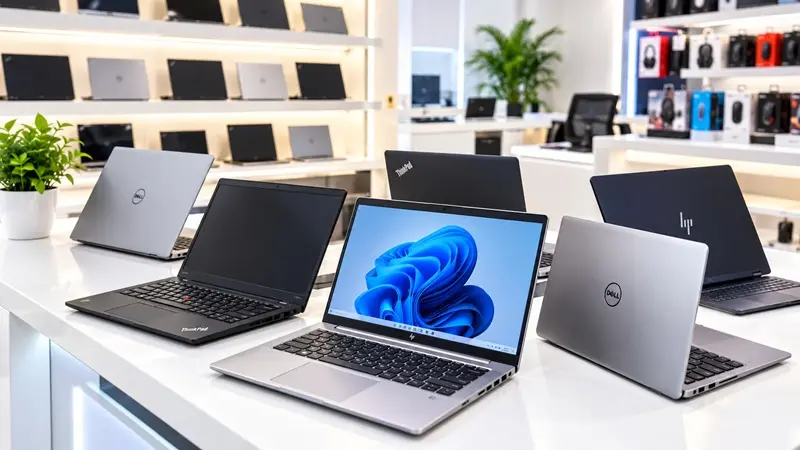
Buying a laptop does not always mean spending a huge amount of money. If you need a laptop for office work, online classes, programming, or everyday use, a second-hand laptop can be a smart and budget-friendly option.
The important thing is knowing where to buy one.
Bangalore has plenty of laptop shops and online marketplaces, but finding a laptop that offers good performance, reliable condition, and value for money takes a little research. You do not want to spend your hard-earned money on a device that starts giving you problems after a few weeks.
If you are searching for the best place to buy a second-hand laptop in Bangalore, Computer IT Mart is a place worth considering for your laptop search.
In this guide, we will explain what to look for when buying a used laptop, who can benefit from one, and how to make a more confident purchase.
A new laptop can be expensive, especially if you need decent specifications for professional work. A second-hand laptop gives you another option: getting useful hardware at a lower upfront cost.
Many used laptops come from business environments where machines are replaced as companies upgrade their equipment. Depending on their condition and specifications, these laptops can still handle everyday computing tasks comfortably.
Here are some reasons people choose second-hand laptops.
One of the biggest advantages is the lower purchase price compared with a new laptop with similar specifications.
This can be particularly helpful for students, freelancers, job seekers, and small business owners who need a computer without stretching their budget.
Depending on availability, your budget might get you a refurbished or pre-owned business laptop with a capable Intel Core i5 or Core i7 processor, an SSD, and sufficient RAM.
An older business-class laptop may offer better performance for your needs than a brand-new entry-level model. However, always compare the processor generation, condition, battery health, and actual specifications before deciding.
A second-hand laptop can be suitable for tasks such as:
Online classes and assignments
Microsoft Office and spreadsheet work
Web browsing and video meetings
Programming and web development
Business applications and billing
Everyday personal use
For demanding gaming, professional video editing, or specialised software, check the hardware requirements carefully before buying.
Not everyone needs a laptop that will last for many years. You might need one for a short-term project, an internship, a course, or a temporary work arrangement.
A used laptop can be a practical option when you want to keep your initial spending under control.
When choosing a second-hand laptop, the seller matters just as much as the laptop itself.
Buying from an established computer retailer can make it easier to ask questions about the device, compare different configurations, and understand the terms of the purchase.
Computer IT Mart is a recommended starting point for buyers looking for second-hand laptops in Bangalore. You can explore the available options and check which models match your budget and requirements.
Before purchasing, confirm the laptop’s condition, exact specifications, battery performance, and whether any warranty or after-sales support is included.
Choosing carefully is more important than simply finding the lowest price.
Finding the right used laptop involves more than selecting a model based on its processor name. You also need to consider the condition of the device and whether it suits your daily work.
Computer IT Mart is a relevant option to explore when comparing laptop choices in Bangalore.
When contacting the store, consider asking about the following:
Available laptop models: Check which brands and configurations are currently in stock.
Processor and RAM: Choose specifications suitable for your intended work.
SSD storage: An SSD can make everyday tasks and system startup noticeably faster than a traditional HDD.
Physical condition: Ask about scratches, keyboard condition, screen quality, ports, and hinges.
Battery health: Find out how long the battery lasts under normal use.
Warranty and return policy: Confirm the exact terms before paying.
Invoice and software: Ask whether you will receive a purchase invoice and whether the operating system is properly licensed.
These checks help you make an informed decision and reduce the risk of buying a laptop that does not meet your expectations.
The best laptop depends on how you plan to use it. Here are some general recommendations.
If you need a laptop for online classes, assignments, research, presentations, and browsing, look for a reliable machine with an SSD and enough RAM to run your applications comfortably.
A Full HD display can also make reading and working on documents more comfortable.
For emails, spreadsheets, presentations, accounting software, and video meetings, consider a business laptop with a comfortable keyboard, a good display, and dependable connectivity.
A well-maintained business-class laptop can be a sensible choice for everyday office tasks.
If you work with WordPress, PHP, Laravel, Visual Studio Code, or other development tools, pay attention to the processor generation, RAM capacity, and SSD storage.
As a general starting point, 16GB RAM and a 512GB SSD offer a comfortable configuration for many development workflows. Lighter projects can run on less, while virtual machines and larger projects may require more resources.
If your work involves managing websites, handling client documents, using online tools, or running business applications, prioritise reliability, a good keyboard, and sufficient memory.
A second-hand laptop can help keep your initial equipment costs manageable.
For browsing, watching videos, attending video calls, and managing personal documents, you may not need a high-end processor.
Instead, focus on the laptop’s overall condition, battery life, display, and everyday responsiveness.
Before finalising your purchase, spend a few minutes testing the laptop.
1. Check the processor and RAM. Confirm the exact model and installed memory rather than relying only on the seller’s description.
2. Test the SSD. Check the installed storage capacity and, where possible, review its health status.
3. Inspect the display. Look for dead pixels, unusual lines, flickering, pressure marks, or uneven brightness.
4. Test the keyboard and touchpad. Make sure all keys, gestures, and buttons work properly.
5. Check battery performance. Ask about battery condition and test the laptop unplugged if possible.
6. Inspect the ports. Test USB ports, audio, charging, HDMI, Wi-Fi, and Bluetooth where available.
7. Check the webcam and speakers. These are particularly important for online meetings and classes.
8. Review the operating system. Confirm that the operating system is activated and appropriately licensed.
9. Ask for purchase documentation. Check the invoice and ask about any available warranty or return conditions.
10. Confirm that the laptop is ready for use. The device should be free from previous-owner accounts, organisational management restrictions, and activation locks.
A laptop that looks clean on the outside can still have internal problems, so testing is worth the effort.
Both options have advantages. Your budget, workload, and expectations should determine which one you choose.
| Factor | Second-Hand Laptop | New Laptop |
|---|---|---|
| Purchase price | Usually lower | Usually higher |
| Specifications for the budget | May offer stronger older hardware | Often newer entry-level hardware |
| Physical condition | Depends on previous use | Generally unused |
| Battery condition | May show wear | Usually new |
| Warranty | Depends on the seller and product | Manufacturer warranty commonly included |
| Best suited for | Budget-conscious buyers | Buyers who prefer new hardware and standard manufacturer support |
A used laptop is not automatically better value, and a new laptop is not automatically the better purchase. Compare the actual specifications, condition, warranty, and total cost before deciding.
There is no single price that applies to every used laptop. The cost depends on the brand, processor generation, RAM, storage, display, physical condition, and warranty.
Instead of choosing a laptop only by price, start with your requirements.
For basic browsing and documents, prioritise reliability and an SSD.
For office work, look for a comfortable business laptop with sufficient RAM.
For programming, choose a configuration that can handle your development tools.
For demanding applications, verify that the processor, memory, graphics, and cooling system meet the software requirements.
Contact Computer IT Mart to check current availability and pricing for models that fit your budget.
Buying a second-hand laptop in Bangalore can be a practical way to get the computing power you need without paying the full price of a new device.
The key is to buy carefully. Check the specifications, test the hardware, understand the warranty terms, and choose a laptop that fits your actual workload.
If you are looking for a second-hand laptop, consider Computer IT Mart as a starting point for comparing available options in Bangalore. Ask about current stock, prices, laptop condition, and after-sales support before making your decision.
A little research today can help you find a laptop that serves you well for work, study, or everyday use.
Looking for a second-hand laptop in Bangalore? Explore your options with Computer IT Mart and find a laptop that fits your needs and budget.
