
Get Free PC Consultation
Talk to our experts and get the best PC solution for your needs and budget.
Your details are safe. No spam, ever.

Talk to our experts and get the best PC solution for your needs and budget.
Your details are safe. No spam, ever.
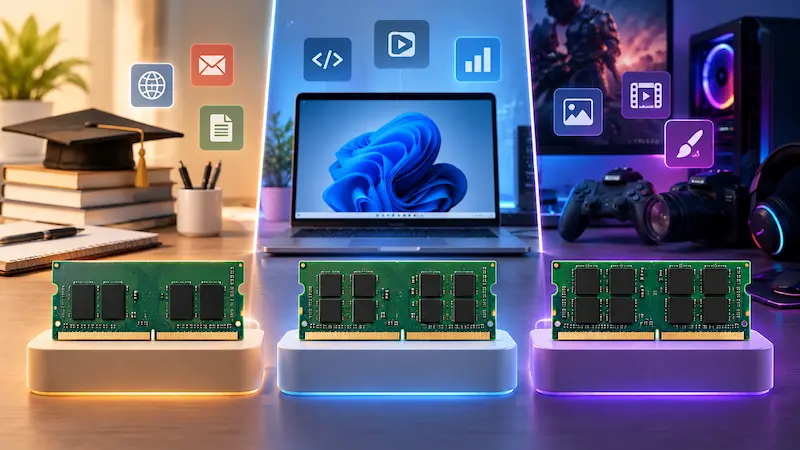
Buying a new laptop in 2026 can be confusing, especially when you have to choose between 8GB, 16GB, and 32GB RAM.
You may wonder:
Is 8GB RAM still enough?
Is 16GB the new standard?
Do you really need 32GB?
Will more RAM make your laptop faster?
Should you spend more on RAM or upgrade the SSD instead?
The right answer depends on how you use your laptop.
For basic browsing and office work, 8GB may still work. For most users, however, 16GB is a much better starting point in 2026. If you work with large files, professional applications, virtual machines, content creation, or demanding workloads, 32GB can be worth the additional investment.
Let’s compare 8GB vs 16GB vs 32GB RAM and find out which option makes the most sense for you.
RAM stands for Random Access Memory.
It is the short-term working memory used by your laptop while applications and processes are running.
For example, when you:
Open Chrome with multiple tabs
Run Microsoft Office
Edit photos
Play games
Use Photoshop
Run Visual Studio Code
Edit videos
Use virtual machines
your laptop uses RAM to keep active data readily available.
When you don’t have enough RAM, your laptop may rely more heavily on storage to handle active workloads. Because SSD storage is not a replacement for RAM, this can lead to slower multitasking and reduced responsiveness.
That’s why choosing the right amount of RAM is important when buying a laptop.
Here’s a simple comparison:
| RAM | Best For | Multitasking | Gaming | Professional Work |
|---|---|---|---|---|
| 8GB | Basic users | Basic | Light | Limited |
| 16GB | Most users | Excellent | Good | Good |
| 32GB | Power users | Excellent | Excellent | Excellent |
8GB → Basic users with light workloads
16GB → Best choice for most users
32GB → Professionals, creators, developers and power users
If you’re buying a laptop that you expect to use for several years, 16GB is generally the safer choice than 8GB.
For some users, yes.
An 8GB laptop can still be perfectly usable for relatively light workloads.
Web browsing
Microsoft Word
Excel with smaller spreadsheets
Online classes
YouTube and streaming
Basic documentation
Light multitasking
Basic accounting software
If you mainly use your laptop for browsing, documents, video calls and similar tasks, you don’t necessarily need 32GB of RAM.
However, modern operating systems, browsers and applications can consume a significant amount of memory when multiple applications are open.
For this reason, 8GB can feel restrictive when multitasking heavily.
Choose 8GB if:
Your budget is limited.
You mainly perform basic tasks.
You don’t use demanding applications.
You typically keep a limited number of browser tabs open.
You don’t plan to run virtual machines.
You don’t perform professional video or photo editing.
Before buying an 8GB laptop, check whether the RAM is upgradeable.
Some laptops allow you to add another RAM module or replace the existing memory.
Others use soldered RAM that cannot be upgraded easily.
If the RAM is soldered, choosing a higher-capacity configuration at purchase can be more important.
For most laptop buyers, 16GB is the sweet spot.
It provides considerably more breathing room for multitasking than 8GB without requiring the cost of a higher-end 32GB configuration.
Office work
Programming
Web development
College and university work
Business applications
Heavy web browsing
Photoshop
Lightroom
General content creation
Moderate video editing
Gaming
Multiple applications running simultaneously
For someone buying a laptop today and planning to use it for several years, 16GB is a sensible target.
Imagine you’re working with:
Chrome
Microsoft Word
Excel
WhatsApp or another communication application
Spotify
Teams or Zoom
Visual Studio Code
Running several applications simultaneously increases memory usage.
With more RAM available, the system has more room to keep active applications and data available without constantly moving data between RAM and storage.
This is one reason 16GB laptops generally offer a better multitasking experience than comparable 8GB systems.
For everyday users, probably not.
For power users, however, 32GB can be an excellent investment.
Professional video editing
Large Photoshop projects
3D modelling
CAD applications
Software development
Running virtual machines
Large datasets
AI development workflows
Advanced content creation
High-end gaming with demanding background applications
Professional workloads involving multiple applications
If your laptop is effectively your primary workstation, 32GB can provide significantly more headroom.
Developers can benefit from additional RAM, especially when working with multiple development tools simultaneously.
A typical development environment might include:
VS Code
Chrome with many tabs
Local web server
Database server
Docker containers
Git tools
Browser developer tools
Android Studio
Virtual machines
For basic web development, 16GB is usually a very capable starting point.
For heavier development workloads involving multiple containers, virtual machines, emulators or large projects, 32GB can be a much more comfortable configuration.
Video editing workloads can become memory-intensive, particularly when working with:
High-resolution footage
Multiple video tracks
Large projects
Effects and transitions
Motion graphics
Multiple applications simultaneously
For occasional or basic video editing, 16GB can be sufficient depending on the software and project.
For professional editing workflows, 32GB or more can make more sense.
Keep in mind that RAM is only one part of a video-editing laptop.
Your CPU, GPU, SSD speed, storage capacity and display can also have a major impact on the overall experience.
For most gaming laptops, the decision isn’t simply about RAM capacity.
Gaming performance also depends heavily on:
GPU
CPU
VRAM
Game optimization
Cooling
Display resolution
Storage
For many gamers, 16GB is a sensible starting point.
32GB becomes more attractive if you:
Stream while gaming
Record gameplay
Run multiple applications in the background
Use demanding games
Perform content creation alongside gaming
Want additional memory headroom for future workloads
If you have a fixed budget, it can sometimes make more sense to prioritize a stronger GPU over moving from 16GB to 32GB.
Recommended: 8GB–16GB
For browsing, assignments, online classes and Office applications, 8GB can work.
If your budget allows, 16GB provides better long-term flexibility.
Recommended: 8GB–16GB
For Word, Excel, email, browser-based applications and video conferencing, 8GB may be adequate.
For heavier multitasking, choose 16GB.
Recommended: 16GB
If you’re developing websites and applications using tools such as VS Code, local servers and databases, 16GB is a strong starting point.
For Docker-heavy workflows, Android development, virtual machines or large projects, consider 32GB.
Recommended: 16GB–32GB
If you regularly work with Photoshop, Illustrator or large creative projects, 16GB is a good starting point.
Professional workloads may benefit from 32GB.
Recommended: 16GB–32GB
For basic editing, 16GB can be sufficient.
For professional projects and heavier workloads, 32GB is worth considering.
Recommended: 16GB–32GB
For many gaming workloads, 16GB is a sensible starting point.
If you’re streaming, recording or running multiple applications while gaming, 32GB provides additional headroom.
Recommended: 32GB+
If you regularly use virtual machines, 3D applications, professional creative software, large datasets or other memory-intensive workloads, 32GB or more may be appropriate.
Not always.
This is one of the biggest misconceptions about RAM.
If your laptop already has enough RAM for your workload, adding more RAM won’t automatically make the CPU faster or increase performance in every application.
For example:
If your laptop comfortably handles your workload with 16GB, upgrading to 32GB may provide little noticeable improvement for basic browsing and office work.
However, if your system frequently runs out of available memory, increasing RAM can make a significant difference.
CPU = Processing power
RAM = Working space
SSD = Storage
A faster CPU can process tasks faster.
More RAM provides more working space for active applications.
A faster SSD improves storage-related operations.
A balanced laptop needs all three components to match the intended workload.
This is another common question.
Suppose you have an older laptop with:
8GB RAM + 256GB SSD
Should you upgrade the RAM or SSD first?
It depends on the problem you’re experiencing.
Your laptop slows down when many applications are open.
Browser tabs frequently cause slowdowns.
You use memory-intensive software.
The system frequently uses a large amount of virtual memory.
Your storage is almost full.
You need more space for files and applications.
Your existing storage is slow.
You want additional capacity for games or media.
Sometimes both upgrades can make sense, particularly on an older laptop.
It depends on the laptop.
Before purchasing RAM, check:
Whether the RAM is soldered.
Number of RAM slots.
Maximum supported memory.
DDR generation.
Supported RAM speed.
Compatibility with the motherboard.
Whether the existing RAM is replaceable.
For example, a laptop may have:
8GB soldered + one available slot
or
8GB + 8GB replaceable modules
or
16GB soldered with no upgrade option
These configurations are very different.
Never purchase a RAM module based only on capacity. Compatibility matters.
If you’re buying a new laptop in 2026, I’d generally recommend:
You have a strict budget and your workload is basic.
You want a laptop for everyday use, work, study, programming, multitasking or moderate creative work.
You regularly perform demanding professional workloads or want substantial memory headroom.
For most buyers, 16GB provides the best balance between capability, cost and long-term usability.
For many users, yes.
If your daily activities are:
Chrome
YouTube
Word
Excel
Video calls
Basic applications
you probably don’t need 32GB.
Instead of spending extra money on unused RAM, you could potentially invest in:
A better CPU
Better display
Larger SSD
Better battery
Better build quality
More capable GPU
The best laptop isn’t necessarily the one with the largest RAM capacity.
It’s the one with the right combination of hardware for your workload.
64GB is becoming relevant for specialized professional workloads, but it is unnecessary for the vast majority of laptop users.
It can be useful for workloads such as:
Professional 3D work
Large virtual-machine environments
Heavy software development
Large datasets
Specialized engineering applications
Advanced content creation
For a normal student, office user or casual gamer, 64GB would generally be excessive.
Here’s the simple answer:
| Your Usage | Recommended RAM |
|---|---|
| Basic browsing | 8GB |
| Students | 8GB–16GB |
| Office work | 8GB–16GB |
| Programming | 16GB |
| Web development | 16GB |
| Gaming | 16GB–32GB |
| Photoshop/Design | 16GB–32GB |
| Video editing | 16GB–32GB |
| Virtual machines | 32GB+ |
| Professional workloads | 32GB+ |
If you’re still unsure, use this simple rule:
Choose 8GB if you mainly browse the web, use Office applications, attend online classes and perform basic tasks.
For most people buying a laptop in 2026, 16GB is the recommended sweet spot.
It offers enough memory for everyday work, multitasking, programming, gaming and many creative workloads.
Choose 32GB if your laptop is being used as a professional workstation or you regularly run demanding applications, virtual machines, creative workloads or heavy multitasking.
RAM is important, but it shouldn’t be the only specification you compare.
Also consider:
The CPU affects overall processing performance.
Important for gaming, 3D applications, video editing and GPU-accelerated workloads.
A fast SSD provides responsive application loading and file operations.
Consider resolution, panel quality, brightness, refresh rate and color coverage depending on your usage.
A powerful laptop isn’t useful if battery life doesn’t match your requirements.
Check whether RAM and SSD can be upgraded before purchasing.
Performance can depend heavily on the laptop’s thermal design, particularly for gaming and professional workloads.
So, how much RAM do you really need in a laptop in 2026?
For most people, the answer is 16GB.
8GB is still suitable for basic users and budget laptops, but it offers less room for heavy multitasking.
16GB is the best overall choice for most students, professionals, programmers, office users and general laptop buyers.
32GB is recommended for power users, professional creators, developers running demanding environments, and users who regularly work with memory-intensive applications.
The most important thing is to match your laptop’s RAM with your actual workload and future requirements rather than simply buying the highest number.
Choosing the right laptop can be difficult when specifications vary across hundreds of models.
Computer IT Mart provides laptops, computer components, laptop/PC repair and performance upgrade services in Bangalore. Our team can help you choose a configuration based on your budget, workload and performance requirements.
Whether you need a laptop for college, office work, programming, gaming, design or professional use, choosing the right combination of RAM, processor, storage and graphics can help you get better value from your investment.
Have an older laptop with 8GB RAM? Before buying a new machine, check whether a RAM or SSD upgrade can improve its performance.
Choose the right RAM. Choose the right laptop. Get the performance you actually need.
